Product page
Product review widget
Turn on the full review list where shoppers decide to buy.
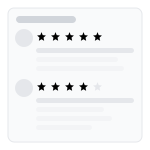
The Product Review widget is the main reviews block on a product page. It is where shoppers read full feedback, filter by stars or media, watch photos and video, and (if you turned Q&A on) ask a question before they buy.
What it does
It displays published product reviews in a grid, list, or gallery layout. Shoppers see the average rating, the number of reviews, each review’s stars and text, and optional photos. Helpful votes let other shoppers mark useful reviews.
Where it appears
- Product pages (default placement via the app embed)
- Any template where you add the Syncnity product-reviews app block (homepage or a dedicated reviews page)
How it works
- A customer submits a review from the request email or the on-site form.
- You approve it in Manage Reviews (unless you enabled auto-publish).
- The widget on that product (and any product group members) shows the published review.
- Open Reviews → Widgets → Product Review → Customize (`/admin/reviews/widgets/customize/product-review`). Settings load for that widget type and save from the same screen. Use layout, colors, and preference controls; the preview updates as you edit.
Unique impact
This is the widget that does the heavy lifting at the moment of purchase. Star ratings on collections get attention; this block answers “what do people actually say?”
Related
Did this answer it?
Your vote helps us write the next guide.